Key Takeaways
- Create custom interfaces without starting from scratch. Use templates and coding-agent guidance to build on LangSmith data, then publish and share inside LangSmith.
- Review agent behavior your way. Build focused UIs for feedback, experiments, traces, and the behaviors that matter most to your application.
- Create Custom Apps with a prompt. Enterprise Plan customers can use LangSmith Chat to describe what data they want and how to display it, then turn that into a working app.
Today, we’re launching Custom Apps in LangSmith, which lets you build, publish, and run custom UIs on top of LangSmith data and run them directly inside LangSmith.
Thousands of AI engineering teams use LangSmith to debug, evaluate, and improve their agents. LangSmith provides default UIs for those workflows based on the most common user requirements we've seen, including prebuilt dashboards for latency, cost, and error rates, and a comparison view that highlights regressions across experiments. But we've seen that teams often need to interact with data in ways that align with their own quality criteria and review processes.
Some teams already solve this by building custom frontends around LangSmith data. They use coding agents, LangSmith APIs, and internal tools to create custom interfaces of their data. But these applications also require ongoing maintenance just like any other piece of software, which includes hosting, authentication, permissions, and sharing.
Now, Custom Apps lets you build the interface you want with your LangSmith data, publish it into your workspace, and skip the hosting, auth, and permissions work.
How Custom Apps work
With Custom Apps, you can start with a chat prompt or build in code. On Plus and Enterprise plans, tell LangSmith Chat what data you want to see and how you want it visualized, and Chat turns that into a working app. If you'd rather build it yourself, start with provided templates and build against the LangSmith API with your coding agent.
Once published, the app becomes a shared interface inside the workspace. Instead of exporting data or rebuilding the same static view ad hoc, you can reuse the app for recurring workflows and share it with teammates in the same place they already review traces, experiments, annotations, and evaluation results.
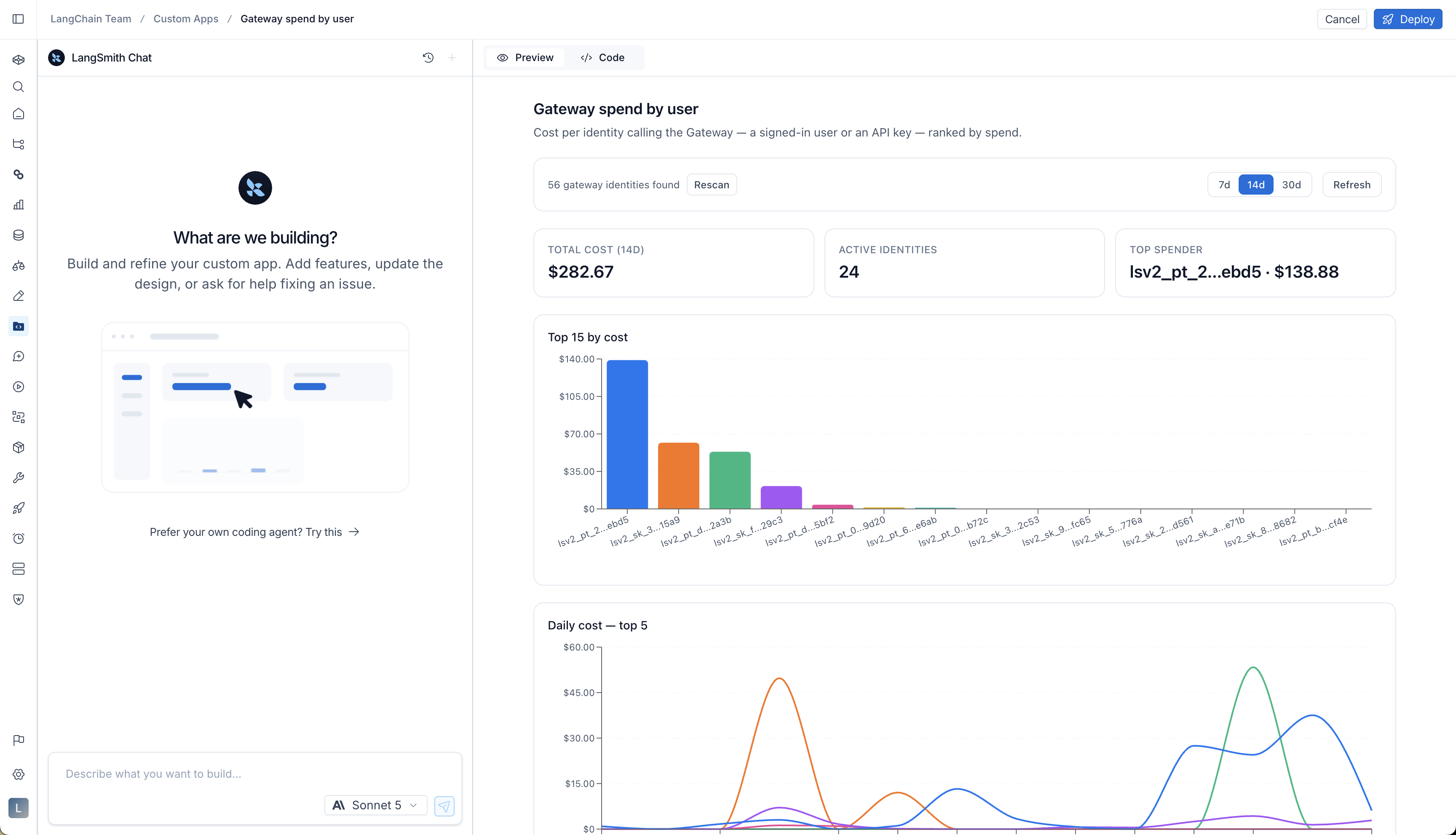
Custom Apps are especially useful when you need to repeat the same review process. Here are a few common ways to use them.
Give annotators the right context
Human feedback is one of the most important inputs for improving AI systems. Automated evals can help you find patterns, but you still need people to review outputs, judge behavior, and explain what good looks like for your application.
That review often depends on who is doing the work. An engineer may need the full trace, including tool calls, metadata, and intermediate steps. A subject matter expert (SME) may only need the user request, the model response, relevant context, and a clear rubric.
With Custom Apps, you can create annotation interfaces that match the reviewer’s workflows. You can give reviewers the context they need, hide the details they don’t, and guide them through the specific feedback you want to collect.
Customize how you compare experiments
Experiments help you assess whether changes to your agent achieved the intended outcome. Before shipping a change, you usually need to review individual results, segments, or failure patterns that matter to your application.
That might mean comparing outputs across prompt versions, checking whether a model swap introduced regressions, or slicing results by customer segment, failure category, model provider, or internal evaluation rubric.
With Custom Apps, you can create experiment review interfaces around those decisions. That means you can highlight the slices that matter most, show representative examples, compare outputs side by side, or package results into the format you use during release reviews.
This is especially useful when experiment review is a recurring process. Instead of rebuilding the same static chart or custom analysis each time, you can create a shared app that stays connected to LangSmith data and reuse it for every review cycle.
Make trace review more focused
Your trace review process typically follows the type of agent you're running. For a customer support agent, you might focus on tone and whether the agent resolved the issue, which you can only judge by reading the exchange. On the other hand, a research agent may be judged on its sources and the number of tool calls required.
When that review happens on a schedule, Custom Apps let you create a more focused UI around the questions you ask most often, such as where behavior changed, which step caused a failure, or whether the application followed the expected process.
Availability and pricing
Custom Apps are available for Plus and Enterprise plans:
- Plus plans include one Custom App per organization and the chat experience.
- Enterprise plans include unlimited Custom Apps with the chat experience.
For general usage and billing information, see our pricing page.
Get started
You can try Custom Apps today by logging in or signing up for LangSmith, and visit the docs for more detail.
写得挺用心的,支持一下。
看完了,收获满满,期待更多更新。
整理得太全面了,省了我不少时间。